
 Josh Buchea
12843e7ef8
Initial commit :baby:
Josh Buchea
12843e7ef8
Initial commit :baby:
|
10 năm trước cách đây | |
|---|---|---|
| _includes | 10 năm trước cách đây | |
| _layouts | 10 năm trước cách đây | |
| _sass | 10 năm trước cách đây | |
| images | 10 năm trước cách đây | |
| themes | 10 năm trước cách đây | |
| .gitignore | 10 năm trước cách đây | |
| 404.md | 10 năm trước cách đây | |
| CNAME | 10 năm trước cách đây | |
| LICENSE | 10 năm trước cách đây | |
| README.md | 10 năm trước cách đây | |
| _config.yml | 10 năm trước cách đây | |
| index.html | 10 năm trước cách đây |
README.md
Awesome App Landing Page
Get a free iOS app landing page in less than 30 seconds (seriously)
It's easy to try out, you can just delete your forked repository if you don't like it
In less than 30 seconds you'll be set up with an awesome app landing page like the one below giving you more time to spend making awesome apps! All without leaving your browser.
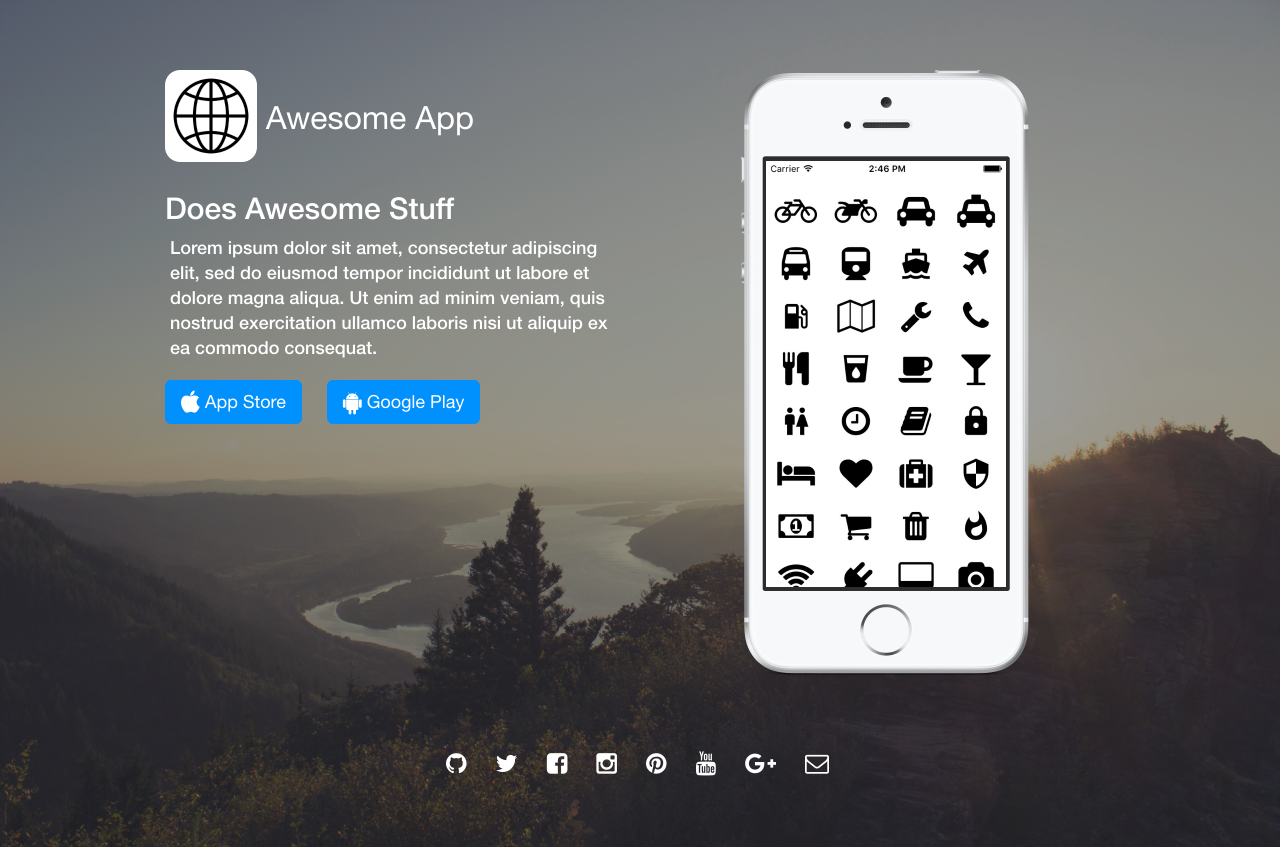
Features
✓ Command-line free fork-first workflow, using GitHub.com to create and customize your awesome app landing page
✓ Free & Automatic Hosting with GitHub Pages
✓ Fully Responsive Base Theme (Demo)
✓ Apple Devices for Screenshots
✓ Apple Smart App Banner
✓ iTunes Affiliate Integration
✓ Google Analytics Integration
✓ Social Icons
✓ Sass Support
✓ Bootstrap
✓ Font Awesome
✘ No installing dependancies
✘ No need to set up local development
✘ No configuring plugins
✘ No need to spend time on theming
✘ More time to code other things ... wait ✓!
Quick Start
Step 1) Fork this repo
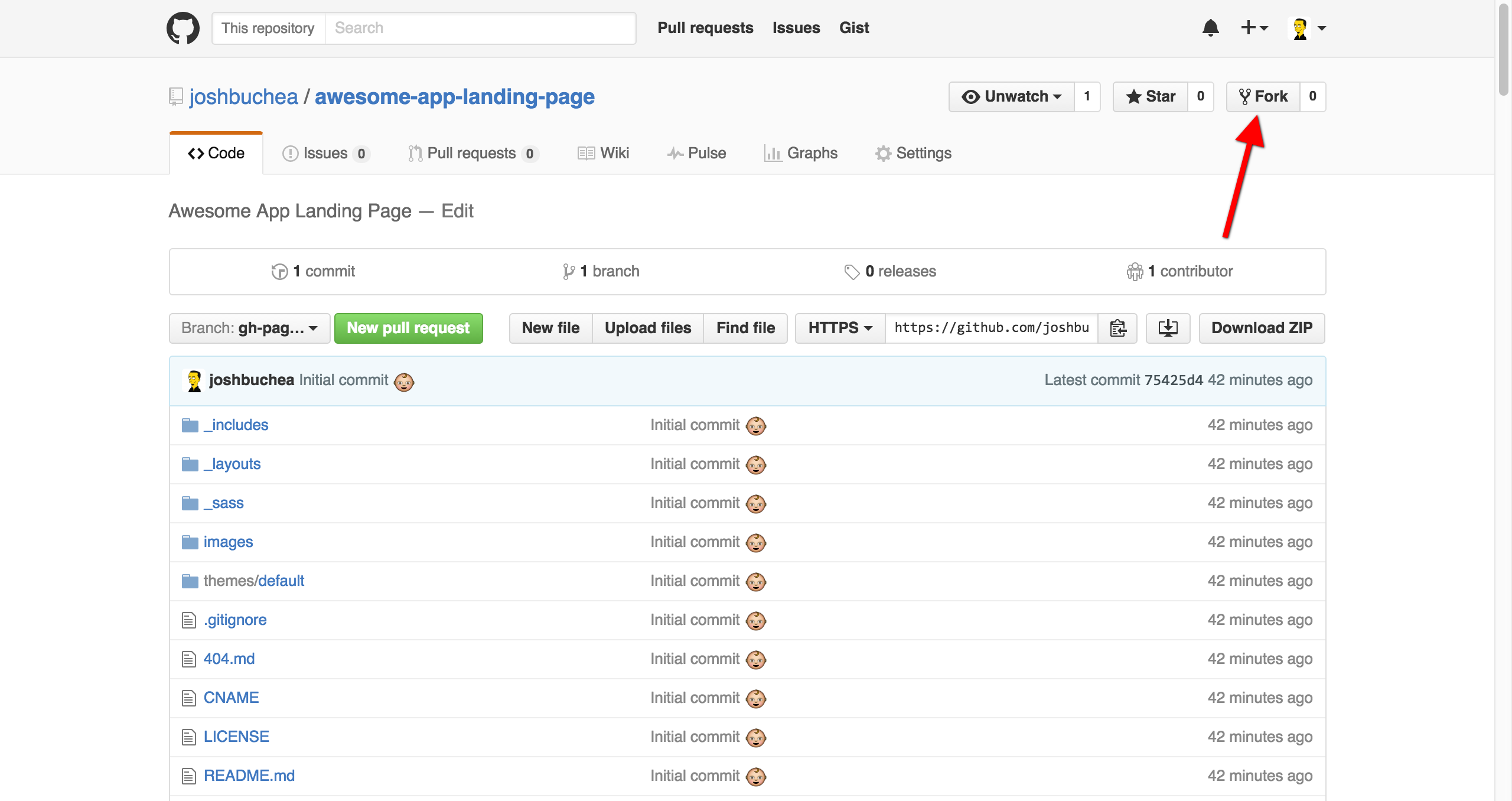
That's it! Check out your new Awesome App Landing Page!
Your Awesome App Landing Page will often be viewable immediately at http://yourgithubusername.github.io/awesome-app-landing-page (if it's not, you can often force it to build by completing step 2)
IMPORTANT: Don't forget to replace yourgithubusername with the GitHub user/organization name you forked the repo to.
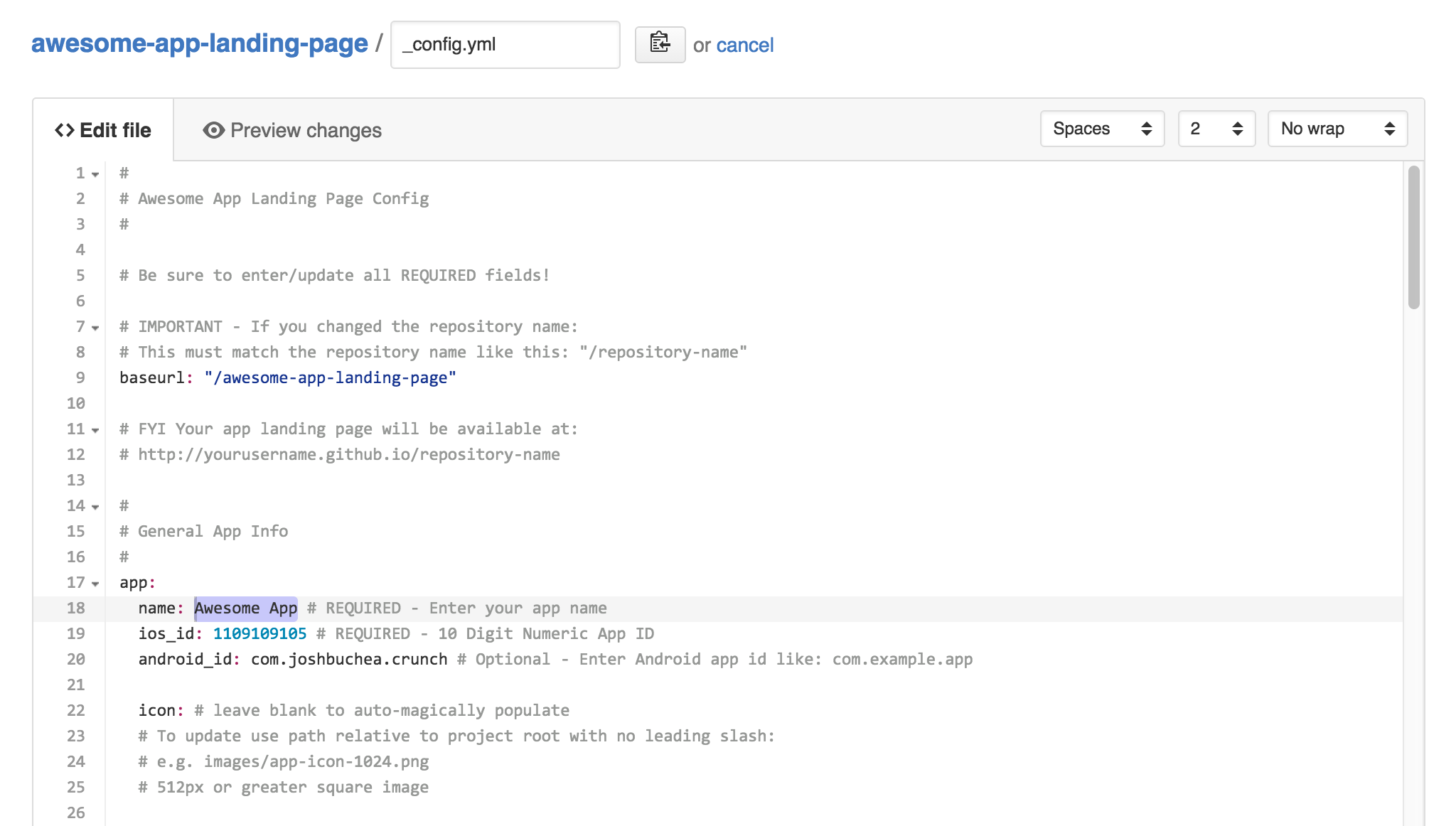
Step 2) Edit _config.yml to customize
Enter required information:
- App Name
- iOS App ID (10 Digit Numeric App ID)
Optionally enter additional information:
- Android App ID (e.g. com.example.appname)
- App Icon (will auto-magically load if left blank)
- App Screenshot (will auto-magically load if left blank)
- Marketing Header
- Marketing Description
- Social Links
- Hide/Show App Icon
- Hide/Show Smart App Banner
- Full Screen Background Image (optional)
- Site Title & Description
- iTunes Affiliate Token
- Google Analytics Site ID
Making a change to _config.yml (or any file in your repository) will force GitHub Pages to rebuild your site with jekyll. Your rebuilt site will be viewable a few seconds later at http://yourgithubusername.github.io/repository-name - if not, give it ten minutes as GitHub suggests and it'll appear soon
There are 2 different ways that you can make changes to your page's files:
- Edit files within your repository in the browser at GitHub.com (shown below).
- Clone down your repository and make updates locally, then push them to your GitHub repository.
iTunes Affiliate Token
If you'd like to make a little extra revenue from your paid iOS app, sign up for the iTunes Affiliate Program and enter your affiliate token in the config file.
Sign up here: http://www.apple.com/itunes/affiliates/
Disclaimer: If left empty, developer's affiliate token will be used. (this is a way for me, the author, to make a few pennies for my efforts without costing you a dime 😄)
Local Development (Optional)
- Install Jekyll and plug-ins in one fell swoop.
gem install github-pagesThis mirrors the plug-ins used by GitHub Pages on your local machine including Jekyll, Sass, etc. - Clone down your fork
git clone https://github.com/yourusername/repository-name.git - Serve the site and watch for markup/sass changes
jekyll serve --baseurl="" - View your website at http://127.0.0.1:4000/
- Commit any changes and push everything to the
gh-pagesbranch of your repository. GitHub Pages will then rebuild and serve your website.
Credits
Questions?
Open an Issue and let's chat!
Contributing
Open an issue or a pull request to suggest changes or additions.
Author
Josh Buchea